Booking Availability
On the 1:1 Bookings page, click the gear next to the title to open Booking availability. It has three sections: scheduling rules, meeting details, and approval.
Only the organization owner or an admin can edit availability. Everyone else sees a read-only page.
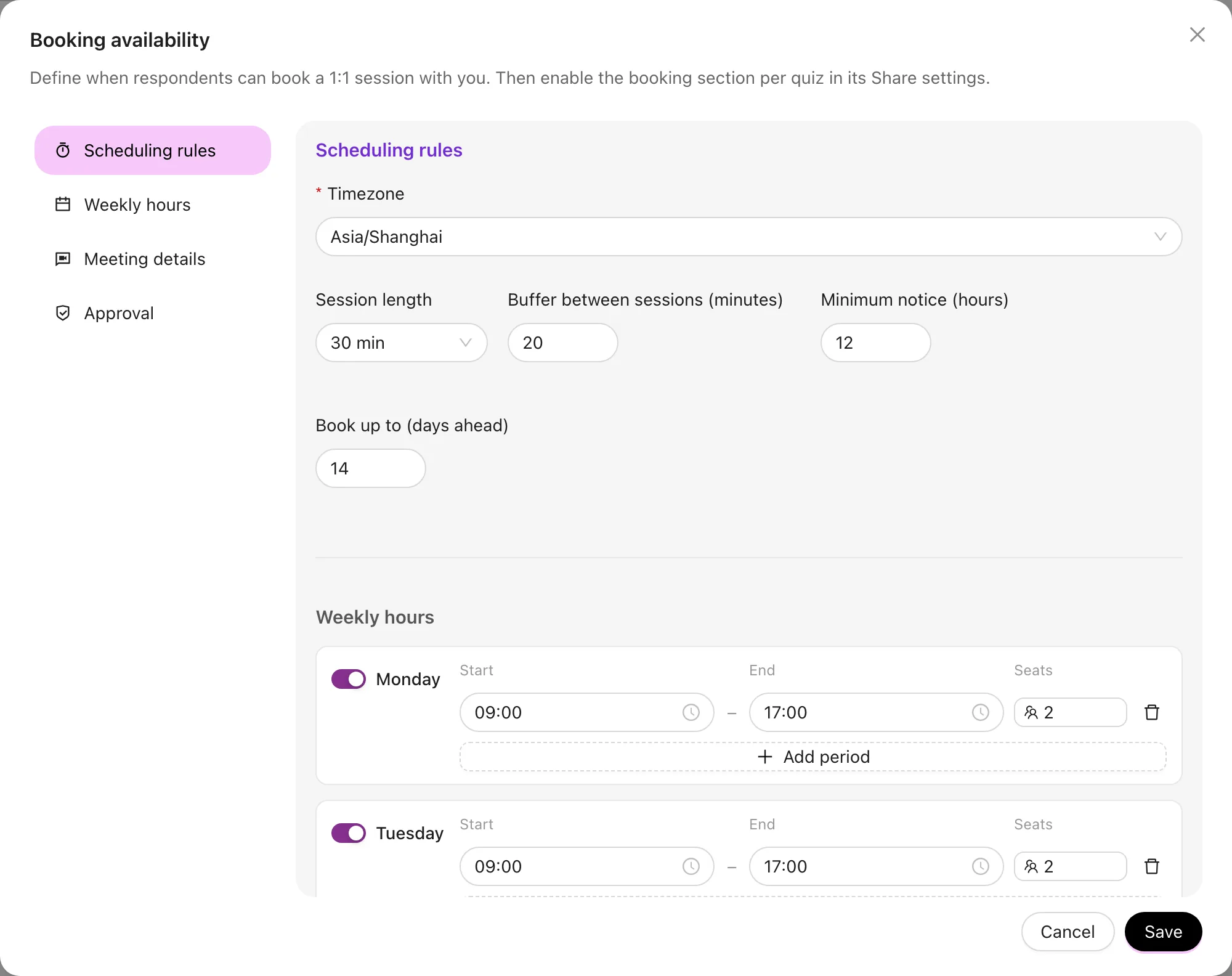
Scheduling rules
| Setting | What it does |
|---|---|
| Timezone | Every period is interpreted in this timezone. Respondents see times converted to their own |
| Session length | How long one session runs; availability is sliced into slots of this length |
| Buffer between sessions | Breathing room between meetings so they're not back to back |
| Minimum notice | The earliest someone may book, in hours — stops people booking 10 minutes out |
| Book up to | How many days ahead the calendar goes |
Weekly hours
Add periods per weekday — "Monday 09:00–12:00", "Wednesday 14:00–18:00". A day can have several.
Periods on the same day must not overlap; this is validated on save.
Seats
Each period has its own Seats value — how many people can book one session in that period:
1— one-on-one.6— a group of six.- Empty — no limit.
0— temporarily closed, but the configuration is kept for later.
For group sessions, set the buffer to 0. Otherwise the first booking blocks the neighbouring slots and nobody else sees the remaining seats.
Meeting details
- Meeting link — a fixed Zoom / Meet address sent out on confirmation. If you use a different link every time, turn this off: attendees then get only your instructions, or the link the lead owner adds when confirming.
- Instructions for attendees — how to join, what to prepare.
Approval
Turn on Confirm requests before sending meeting details and incoming bookings arrive as requests:
- The request lands in the "Waiting for you" section of 1:1 Bookings.
- The lead owner confirms or declines it.
- Only after confirmation does the attendee receive the meeting address.
With the switch off, a booking is immediately final and the attendee gets the details straight away.
When in doubt, leave approval on. It filters out tyre-kickers and mistimed requests, and the only cost is one extra click from you.
Overview
1:1 Bookings lets respondents book a session with you right on the quiz result page — no third-party calendar, no email ping-pong. Availability is team-level and shared by every quiz.
Managing Bookings
Work through sessions on the 1:1 Bookings page: confirm or decline pending requests, attach a meeting link and instructions to a single session, and filter the list by quiz and status.